Concert sound: front of house and monitors
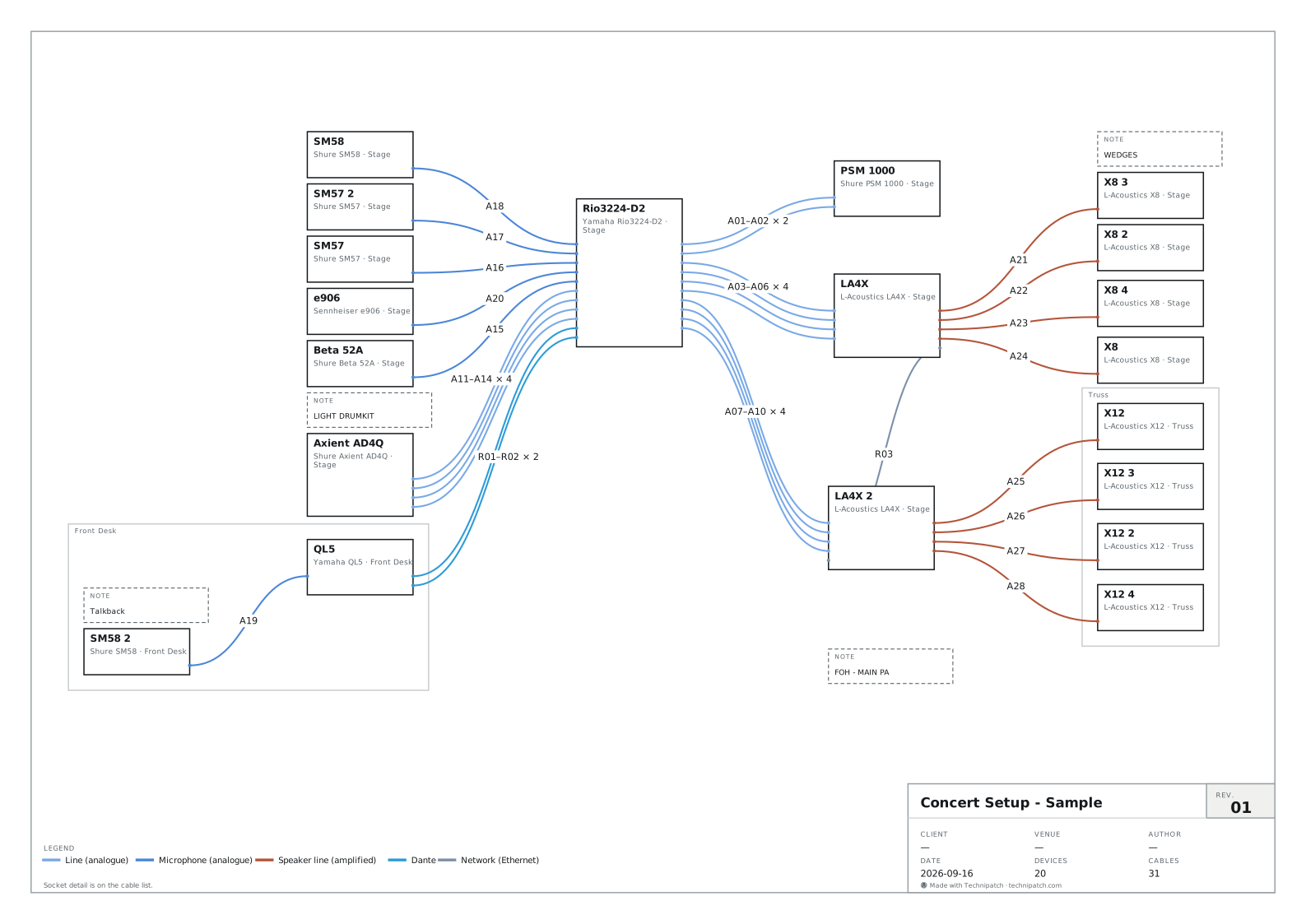
Concert Setup - Sample
20 devices, 31 cables, 3 zones.
No alerts.
- Audio
| A01 | Rio3224-D2 | PSM 1000 | — |
| A02 | Rio3224-D2 | PSM 1000 | — |
| A03 | Rio3224-D2 | LA4X | — |
| A04 | Rio3224-D2 | LA4X | — |
Technipatch ships three real system diagrams, not screenshots: what each card below shows — devices, cables, zones, verdict — comes from the same functions as the editor, on the very project the link opens.
The three examples Technipatch offers are real domain objects — a full project, with its devices, cables and zones — not images composed for the occasion. What the cards below show comes from the same functions as the editor: the cable list from the same function as the Cables tab, the verdict from the same function as the Checks tab. Nothing here is retyped by hand, and nothing is specific to this page.
Concert Setup - Sample
20 devices, 31 cables, 3 zones.
No alerts.
| A01 | Rio3224-D2 | PSM 1000 | — |
| A02 | Rio3224-D2 | PSM 1000 | — |
| A03 | Rio3224-D2 | LA4X | — |
| A04 | Rio3224-D2 | LA4X | — |
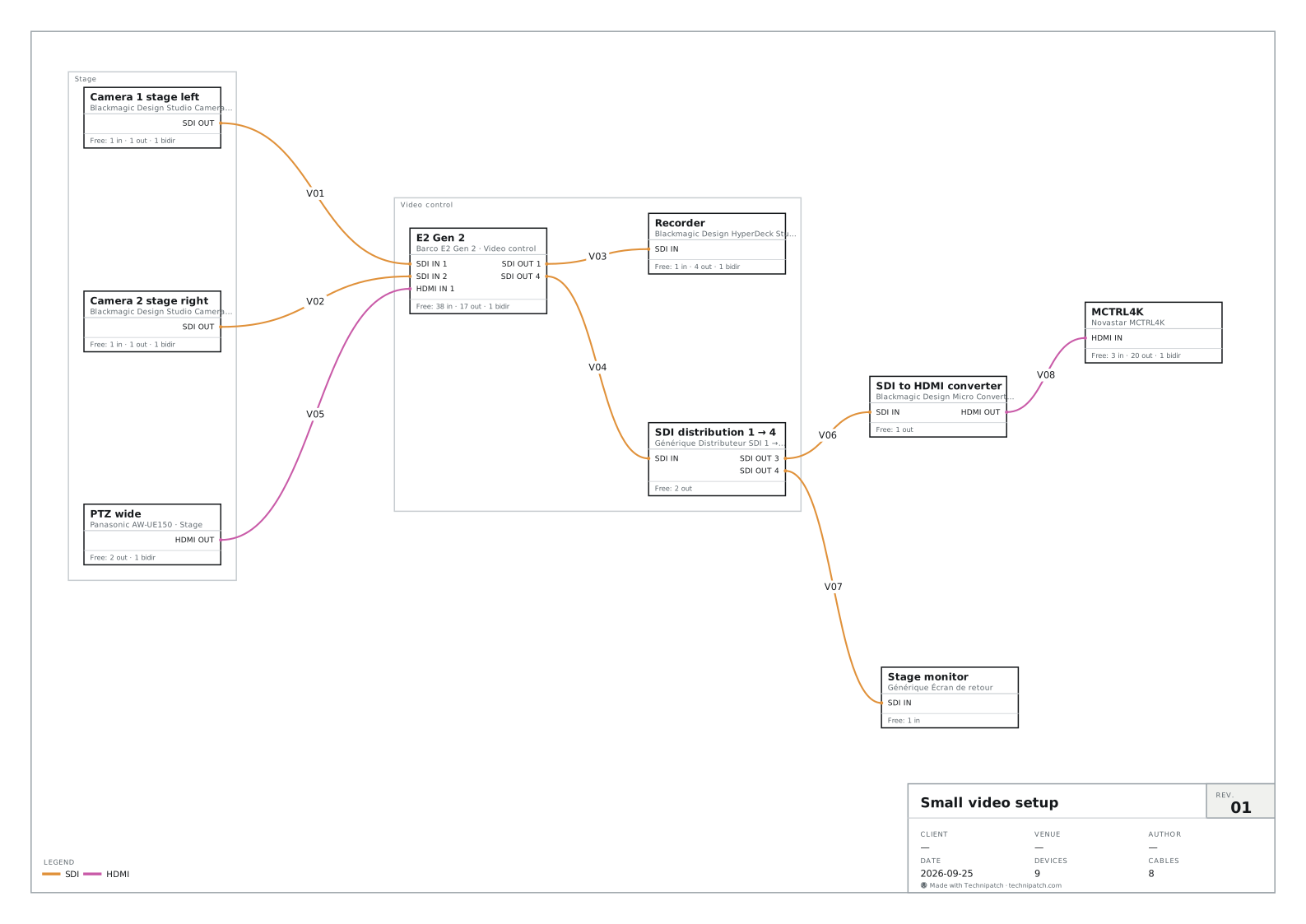
Small video setup
9 devices, 8 cables, 2 zones.
No alerts.
| V01 | Camera 1 stage left | E2 Gen 2 | — |
| V02 | Camera 2 stage right | E2 Gen 2 | — |
| V03 | E2 Gen 2 | Recorder | — |
| V04 | E2 Gen 2 | SDI distribution 1 → 4 | — |
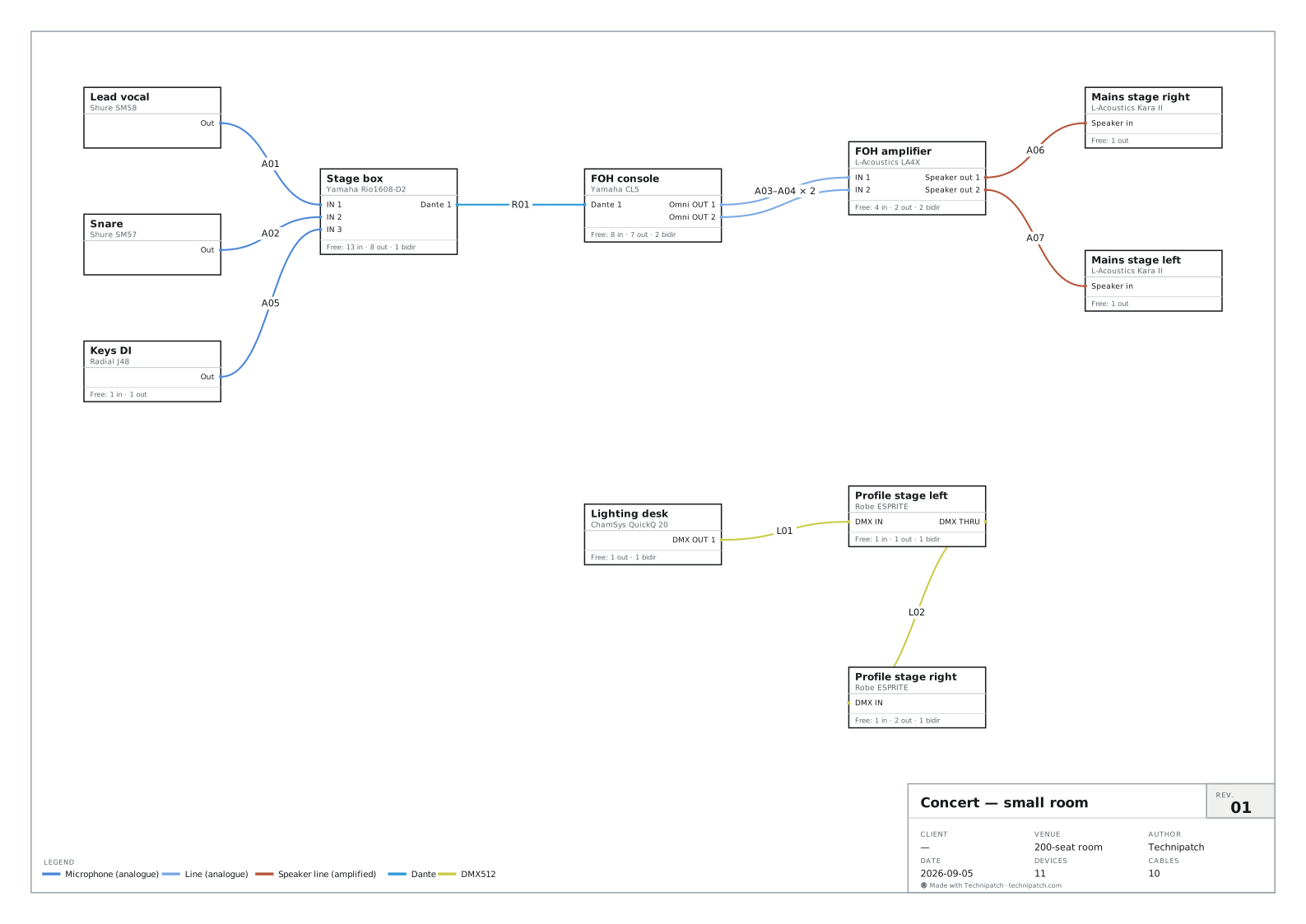
Concert — small room
11 devices, 10 cables, 0 zones.
No alerts.
| A01 | Lead vocal | Stage box | 10 m |
| A02 | Snare | Stage box | 10 m |
| A03 | FOH console | FOH amplifier | 3 m |
| A04 | FOH console | FOH amplifier | 3 m |
Every cable shown has already passed the same checks as the editor’s Checks tab — signal, connector, occupancy, budgets. A warning would show up here exactly as it would in the app; no warning showing up is itself a verdict from the engine, not silence.
Each card’s link opens the editor straight on that project — a sandbox, not a replacement: your own work in progress comes back the next time you open the editor. And these are not share links: a project shared that way stays private, for whoever received it — these examples are public and built into the product, nothing to share to open them.
Drop five devices, pull cables between their ports: the cable list, the patch sheet and the equipment list fill themselves in while you draw. No account, no card.